This is the seventh in a series about the author’s experiences helping to launch and operate WDOG(LP) “The Rock Dog.”
Read Dan’s first feature in the series, “It’s the People Who Craft a Career in Radio,” his second, “In New Philadelphia, the ‘L’ in LPFM Stands for Local,” his third, “This LPFM Fills a Rock Music Format Void,” his fourth, “So You Have an LPFM Station. Now What Do You Do With It?“ his fifth, “This Low-Power FM Gets a Whole Lot of Bark Out of Its Signal,” and his sixth, “Choosing the Right Broadcast Gear for Your LPFM.”
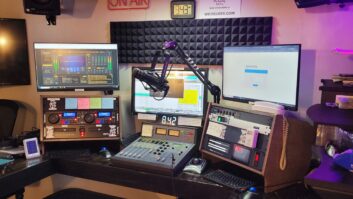
Thanks for following along on The Rock Dog’s journey. As you might recall, the station launched with a beautiful old BBC production board, a Soundcraft RM1ds. But at 26 years old, it was time for a replacement.
After evaluating some excellent consoles and technology on the market today, I chose to go with Wheatstone/AudioArts.
I’ve had great success with their products in the past, and after a couple of phone calls, decided the AudioArts DMX8 was the right size and fit for our station. By adding the DMX remote virtual console software, we can remote-control the board during field events without needing anyone back at the studio.
For small-market stations running lean and mean, the more you can leverage technology to minimize needed hands without impacting the listener experience, the better off you are. This isn’t to say on-air personalities should be replaced with AI.
But as a tech junkie, I’m going to find every way to make a station efficient to operate while preserving that authentic live sound many of us grew up with.
While helping launch several stations over the past decade, I’ve found it increasingly difficult to reach an actual on-air personality. Being old school, I consider direct listener interaction essential. A lack of connection creates a real disconnect, which is why I use technology to make interactions between our listeners and the station as seamless as possible.
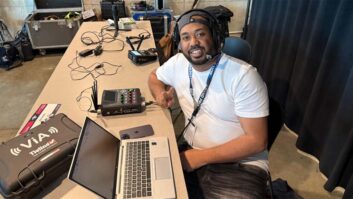
A live remote with real people out in the field is more critical today than ever. The nice thing is that if you’re doing live remotes, you might be the only station in your market still doing so.
If there’s an opportunity to promote and participate in a community event in rural Ohio, The Rock Dog is there. That visibility and active local presence makes a world of difference.
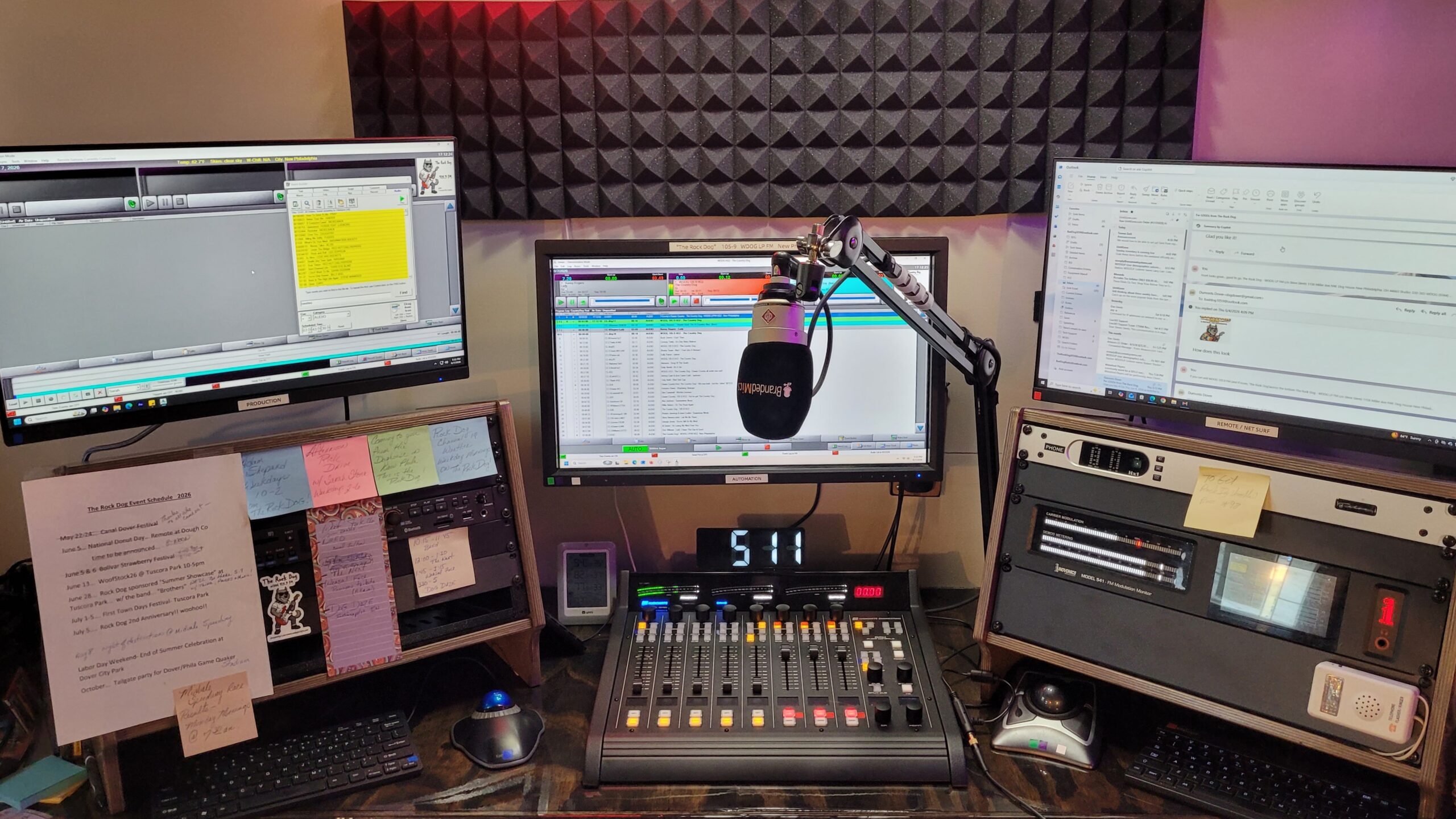
Because we need to be everywhere with a small volunteer staff, making the station self-sufficient was important. Combining software like Splashtop, Wheatstone’s DMX remote surface and remote access to our BSI Simian automation allows us to control the entire station from anywhere.
Using two Microsoft Surface touchscreens, we run Simian on one screen while operating the Wheatstone DMX8 remotely on the second screen.
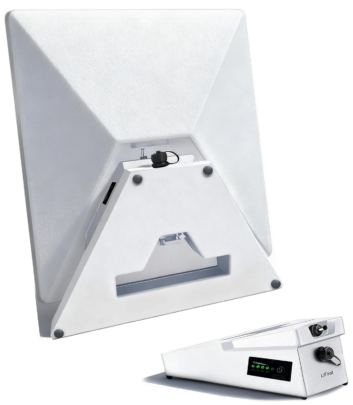
Since cellular coverage can be unpredictable in rural areas, we added a backup internet setup using our own Starlink terminal paired with a 10-hour battery pack. While 5G through our cellular provider remains our primary connection, Starlink ensures we have no geographic limitations on where we can broadcast from.
AoIP in the studio and transmitter rack
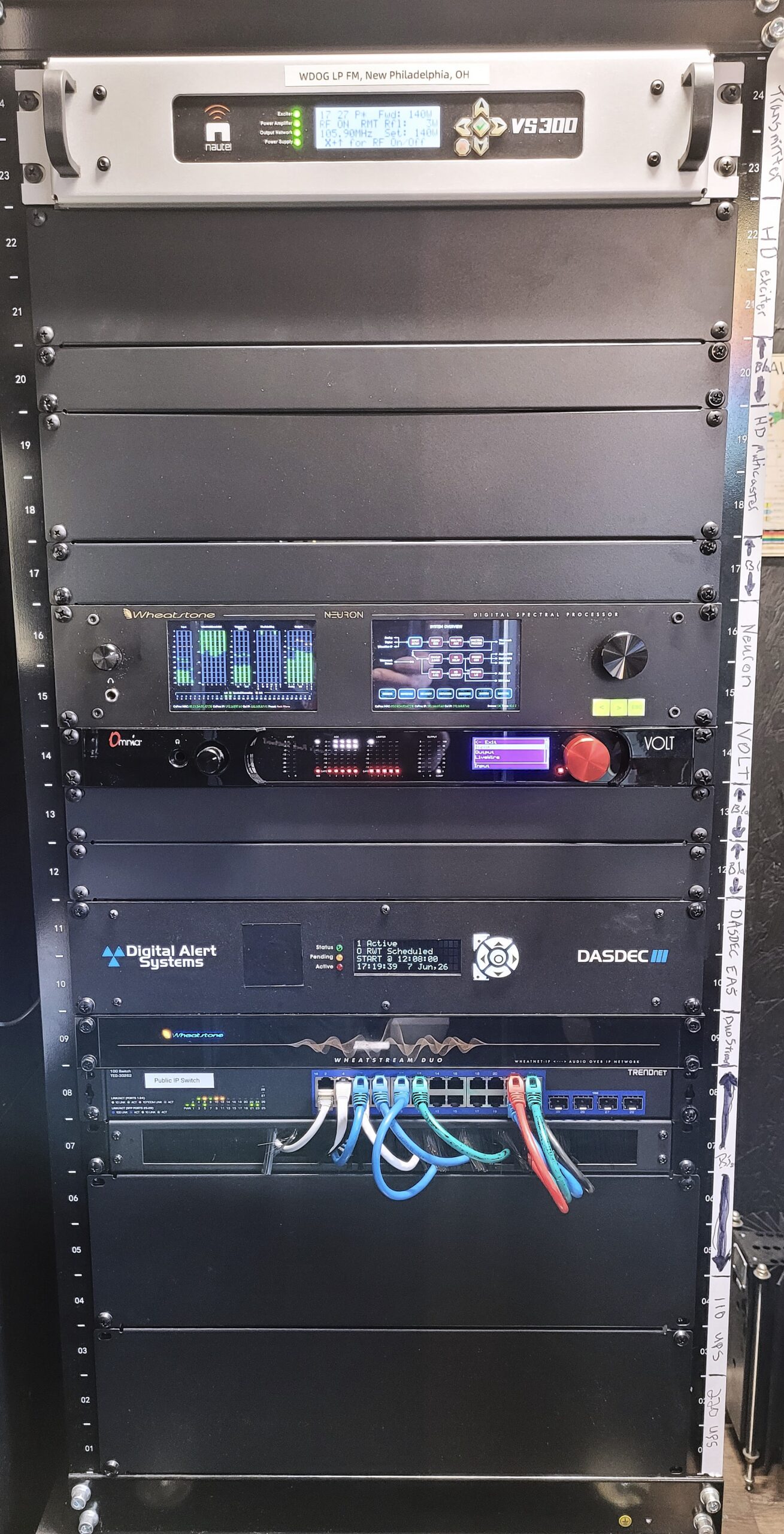
Our transmitter rack was also updated to prepare for future expansions. Below the Nautel VS300LP transmitter, we reserved space for our next major upgrade.
A new Wheatstone Neuron sits midway down the rack, while an Omnia Volt is held in reserve.
A Digital Alert Systems DASDEC III handles EAS duties, and a Wheatstone DUOstream handles stream encoding and processing. The network switch here feeds public internet rather than our internal WheatNet-IP network. The lowest two rack positions are reserved for upcoming 208-volt and 120-volt UPS units.
Beneath the console in the main studio sits our new WheatNet-IP rack. It houses the DMX8 engine, Voice1 processor, a Cisco WheatNet-IP switch, a Wohler cue monitor (analog and AES), four mini PCs and our primary automation computer.
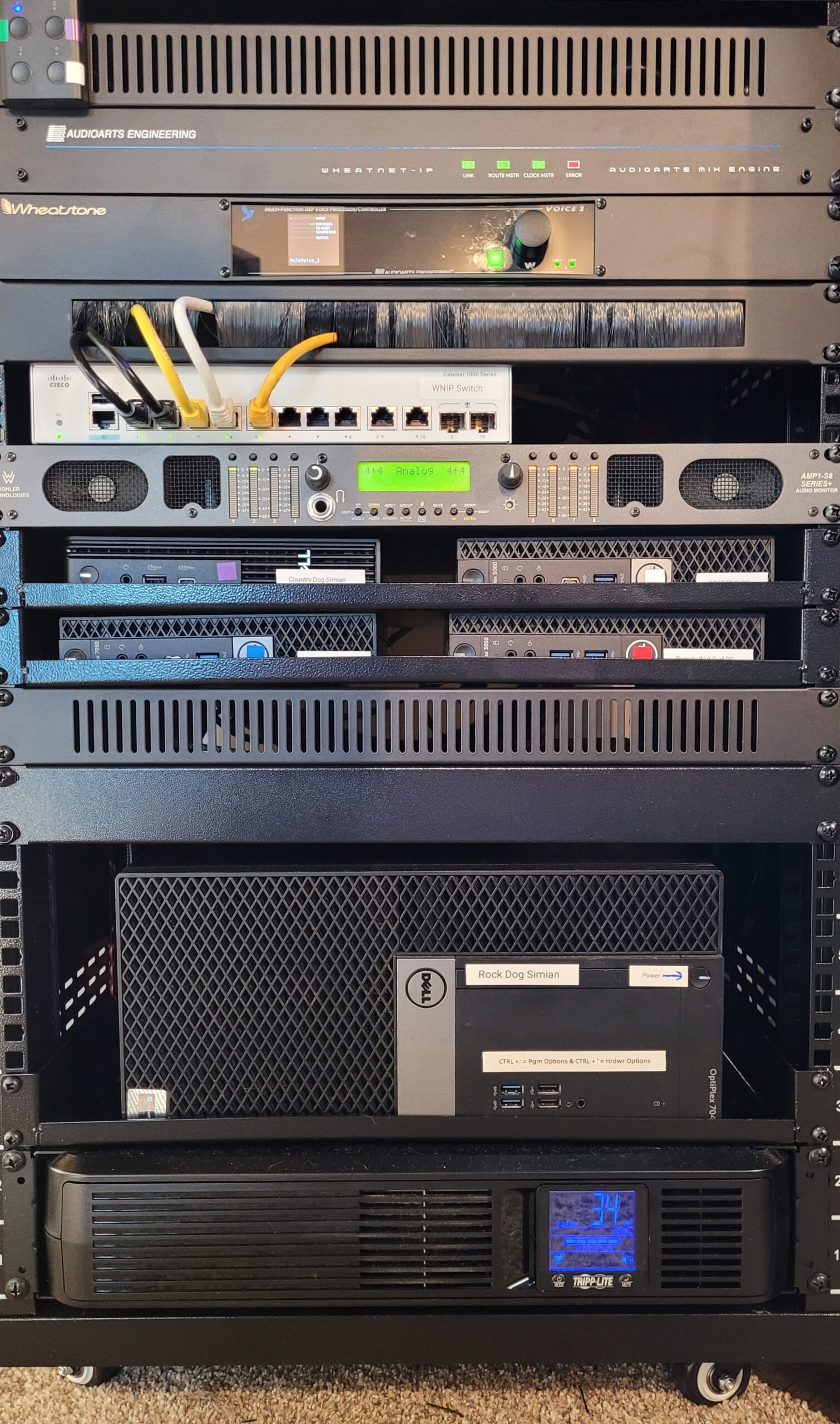
Each computer in the studio rack serves a role:
- Primary Automation: A Dell runs our main BSI Simian automation system. It includes two network interface cards, with one as a WheatNet-IP driver for multichannel audio routing to the Cisco switch.
- Automation Testbed: A second mini Dell runs a secondary instance of Simian for testing software updates and uses a single-channel WheatNet audio driver.
- Remote & Web Research: A third mini Dell serves as our web research PC for on-air talent. It uses an external Focusrite Scarlett audio interface to route audio into the WheatNet engine and remains on the public network.
- Voice-Tracking & Production: A fourth mini Dell handles remote voicetracking via Simian Remote and general production in Adobe Audition. This machine uses a Focusrite Scarlett interface operating in AES mode for input and output to the Wheatstone engine.
- Engineering PC: A fifth mini Dell acts as our engineering station. With dual NICs, it allows remote support from Wheatstone tech engineers while viewing the WheatNet-IP network for configuration and monitoring.
A rack-mounted UPS at the bottom of the studio rack powers the surface and engine for around 30 minutes in the event of a power outage.
On-air results
Replacing our analog wiring and old Soundcraft board was an enjoyable project that required pre-planning and contingency design.
Our single studio was off the air for three days. During the cutover, the station ran off my laptop running a secondary copy of Simian connected to an external hard drive containing a 1 TB backup of our entire audio library.
Production and voicetracking were completed in advance, and we maintained a backup rig using a Rode Podcaster microphone to go live if necessary.
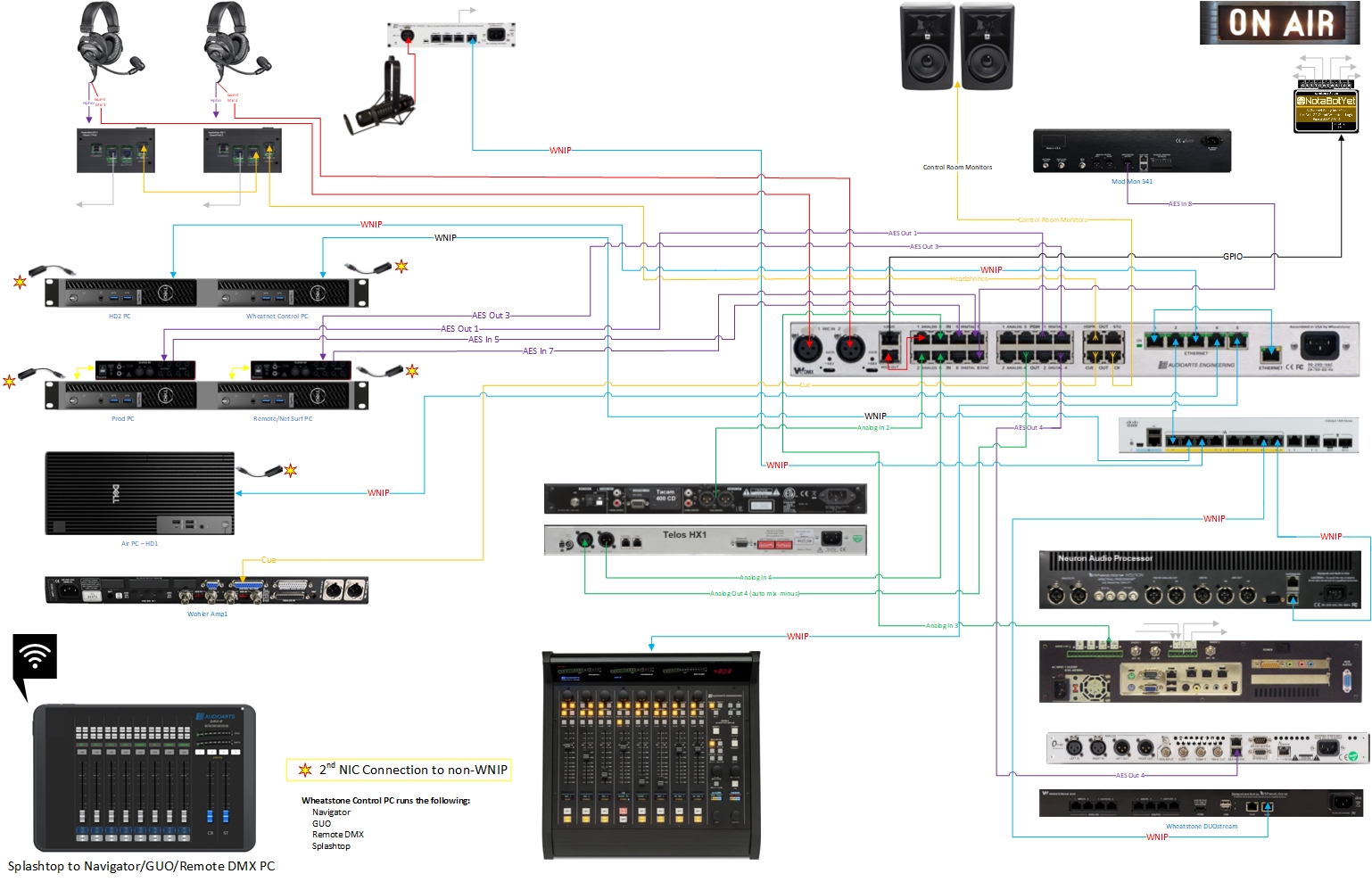
The cutover resulted in minimal, virtually invisible disruption to our listeners. Shortly after bringing the new system online, we received unsolicited feedback from listeners praising how clean the stereo imaging sounded and how our signal seemed to jump off the dial.
Those are the comments every engineer loves to hear, especially when watching our Inovonics 541 modulation monitor peaks tap 105%.
While I was pleased with our previous processing setup, updating to the Wheatstone Neuron beat my expectations.
Every processor carries its own sonic signature, but Wheatstone hit a home run with the Neuron.
The upgraded AoIP architecture is far more flexible than our traditional system. I was amazed by how much legacy hardware we pulled out of the rack that simply isn’t needed with WheatNet-IP, including four distribution amplifiers, multiple A/D and D/A converters and external GPIO trigger boxes.
This was my second WheatNet-IP installation, having worked on a system at KKXT(FM) in Dallas about 15 years ago.
Doing the hands-on installation myself this time, I found that even with thorough planning, configuring the routing required some technical guidance.
Fortunately, Steve, Trey, John, Rose and Jeff from Wheatstone technical support were exceptionally patient and helpful in getting our routing finalized quickly.