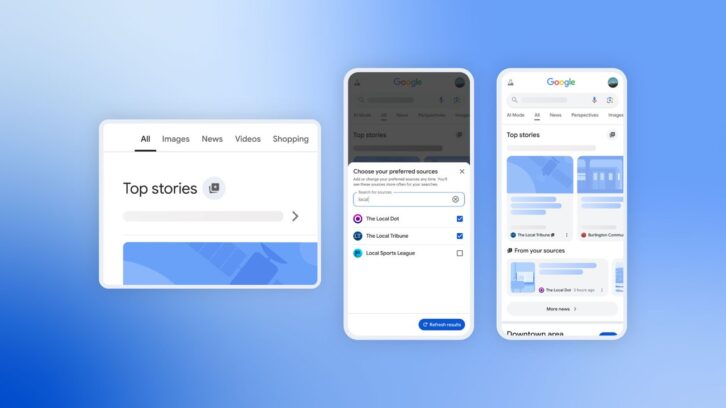
Google has launched a new “preferred sources” feature that allows users to customize which news sources they want to see more from within the Top Stories section.
For our avid Radio World readers, this means you can prioritize our content to stay on top of the latest radio engineering, regulatory and product news.
When you set Radio World as a preferred source, our stories will be more prominently displayed within Top Stories, eliminating the need to dig through all of Google Search for the content you know and love.
The process is simple.
First, search for a topic that’s in the news and click on the “Cards Star” icon located to the right of “Top Stories.” In this example, let’s look for a story about Quu’s CEO Steve Newberry (as a little birdie told us there was an important company announcement released today).
This is what pops up for me when searching “Steve Newberry.”
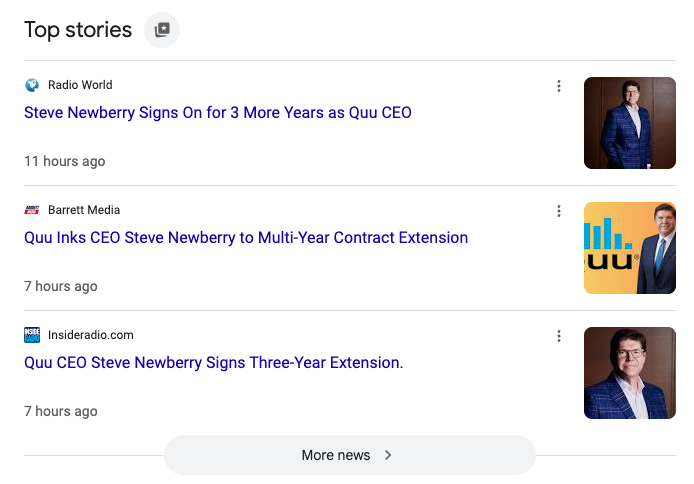
While our story on the Quu announcement appears first in my search results (as a Radio World editor and frequent website visitor this is not exactly a surprise), that won’t be the case for everyone.
So, to prioritize seeing our content first, simply click on that star icon. You’ll then be directed to search for and select your preferred source(s).
Search for Radio World and check the box.
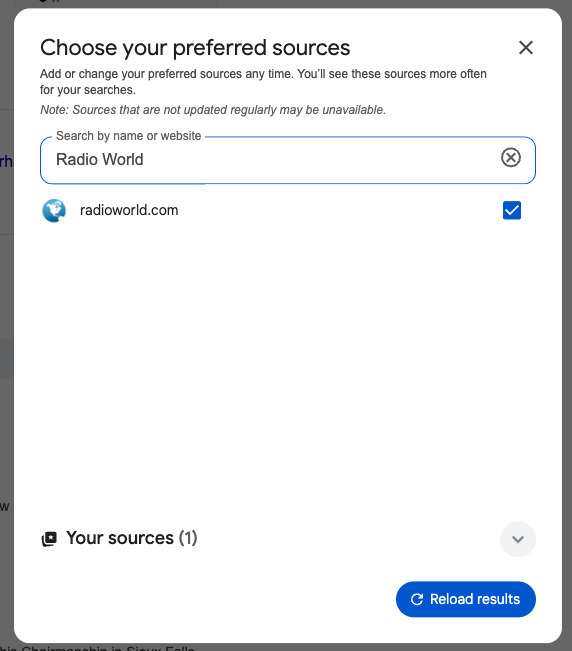
After that, reload your results to see more from your favorite site(s)! Easy, right?
If you want to make sure the process worked, double check to see if that little star icon sits next to Radio World’s headline.

Once you select your source(s), they will appear more frequently in Top Stories or in a dedicated “from your sources” section on the search results page. You’ll still see content from other sites, and can manage your selections at any time.
Happy Googling!