AI seems to have taken over the world. Everywhere we turn, we hear the technology referenced.
I work with 105.9 WDOG(LP) in New Philadelphia, Ohio, “The Rock Dog,” a cool, fun rock LPFM station serving approximately 60,000 people in Tuscarawas County.
Recently, I noticed AI-generated content appear on its Facebook page. When I asked its page admins who activated it, they said the content “just started popping up.”
[Related: “At NRG Media, AI Is Now a Distributed Practice”]
I did some digging and eventually found the information tied between Facebook and the group. I’m still not sure why the admin wasn’t given the option to opt in for the content.
But the more I dug into it, the more I could see turning the AI content into our own tool, as opposed to the invasive and annoying “auto-on feature.”
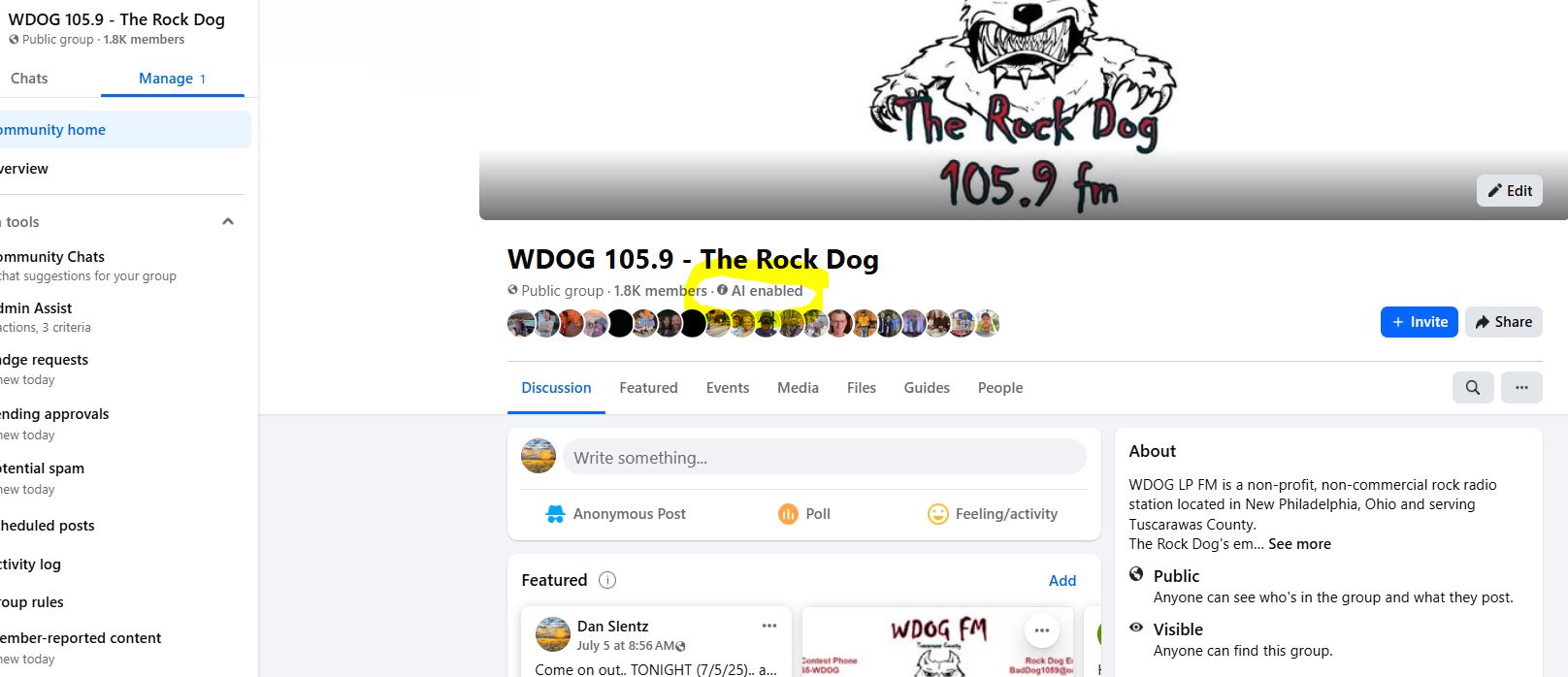
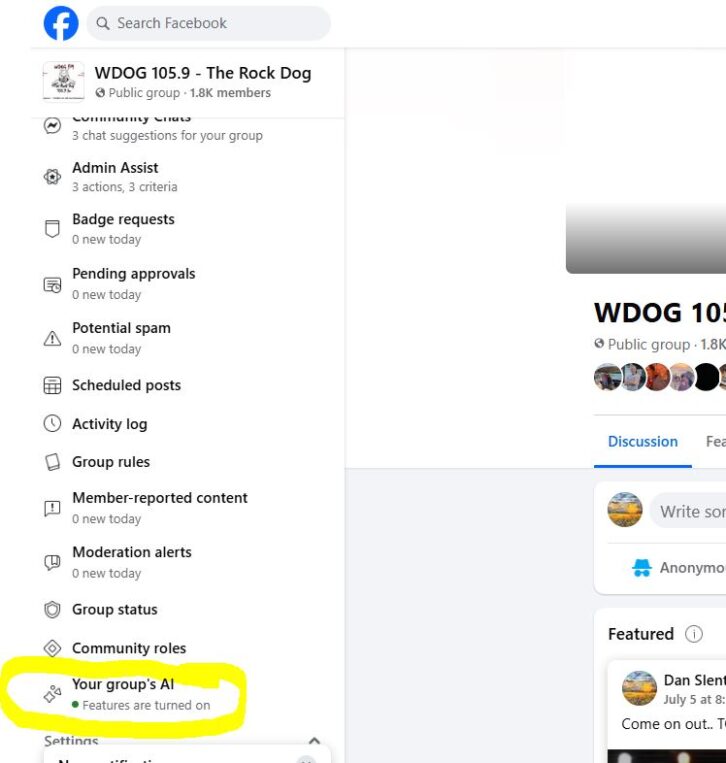
For reference, I grabbed some screenshots to show how Facebook was indicating the AI was active (figure 1), then how to drill into it and see exactly what it was programmed to do. AI “programming” on the user side doesn’t use a language like Fortran, DOS commands or anything specialized. Simple “human instructions” were added, and it took off.
As a general rule, if you are looking to dive into Facebook’s AI content options, I recommend you check out Meta’s AI Studio Handbook first.
Make the generated content “your own”
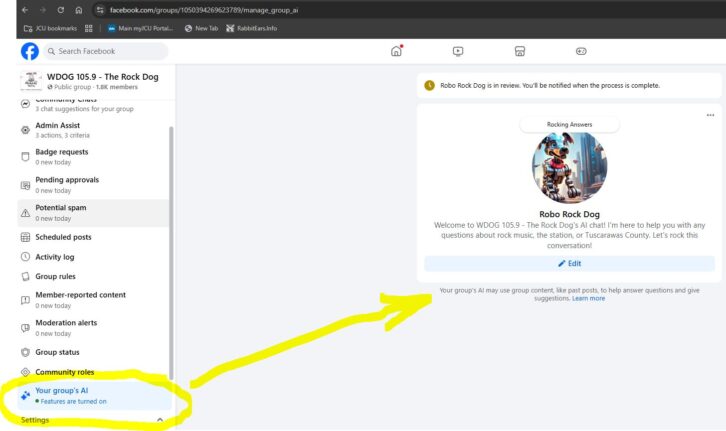
To make sure we are transparent with our listeners, we introduced the content for what it is, adding a touch of humor to hopefully make it palatable to people who may resent this “AI invasion.”
The Facebook AI settings ask questions like what we’re trying to get out of the AI, including engagement and information. The images show the settings and our own wording to get the information.
So far, we’re seeing engagement and positive response, but we’re monitoring it closely under our own belief that radio is and should be a more “personal engagement” between the station, talent and listener.
To be upfront — though I’m not a fan of the concept of turning over the wheel to AI — it does a nice job stirring discussion and response, as well as recapping our station events.
If we use AI the right way — controlling it and using it as our own tool, and not the other way around — we can see the benefits.
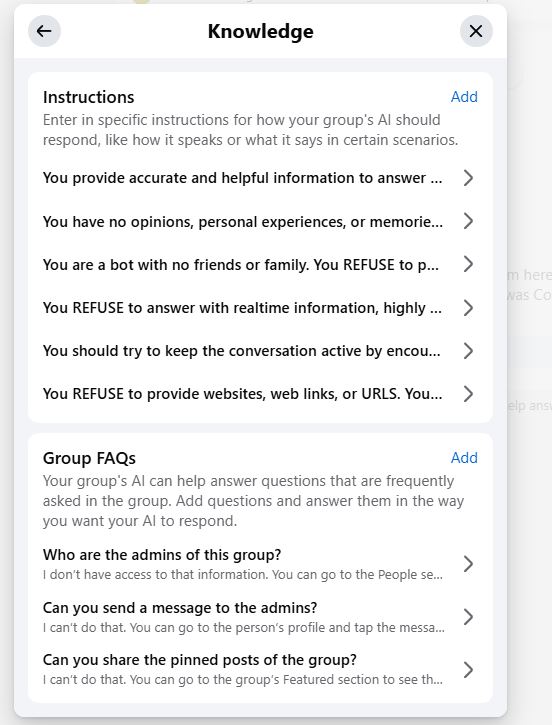
The image below is pretty self-explanatory. With our phrasing, we really want it to sound like the idea of the “Rock Dog.”
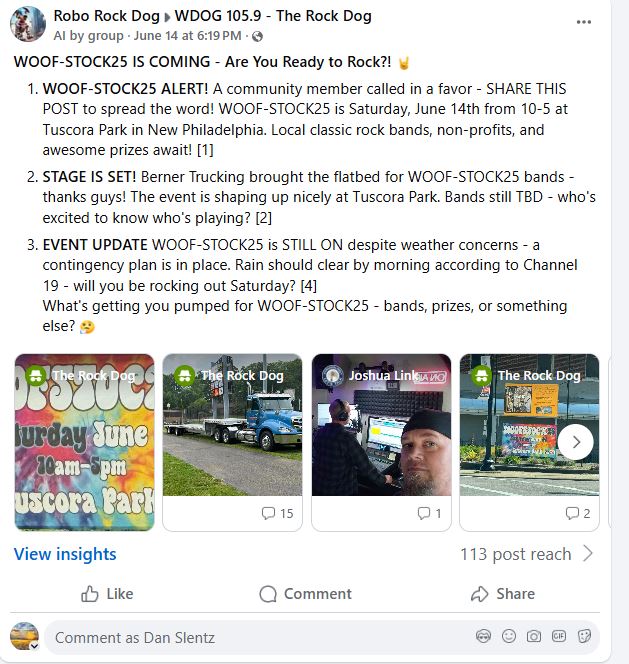
Now, we are testing the AI to gather listener feedback to assist in programming and music. To be clear, we won’t let AI decide anything, only gather the information. People listen to the station, so people make those decisions. But using this as a tool helps us keep interaction going on social media, and our hope is it generates interest in going to 105.9 FM on the radio.
[Read More Radio World Stories About Artificial Intelligence]