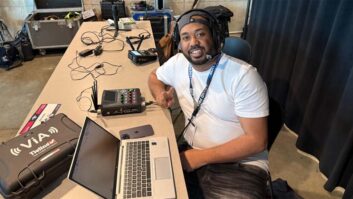
Bud Williamson is a broadcast entrepreneur, engineer and consultant. He is managing member of the radio company Neversink Media Group as well as the head of Digital Radio Broadcasting Inc., where he provides technical consulting and licensing expertise for FM stations, translators, boosters and entire broadcast facilities.
We spoke to him for the ebook “Optimize Your Air Chain.”
Radio World: In your work with various stations, are there one or two common steps in the air chain that often are deficient technically or not being maximized fully?
Bud Williamson: Often I see analog audio being converted to digital and transported over a codec, such as a BRIC-Link or a Tieline device. Recently I saw a configuration that was at 48 kbps mono with 4:1 data compression that ultimately fed an expensive audio processor.
With fiber IP connectivity at both ends with decent speeds and low latency, there seemed to be no reason to restrict the quality. I switched it to linear stereo and to this day, the station maintains very good transport quality with no data dropouts. (The codecs are that good today!)
I advise stations to try to use the same provider and be on a fiber platform on both ends. While Direct Internet Access or DIA is preferable, as it supposedly “bypasses” a large number of smaller customers, that creates bursty conditions that interrupt the stream of your IP connection. This results in unrecoverable bits and can lead to artifacting or dropouts entirely.
While performing due diligence station inspections in smaller markets, I often hear problems before even pulling up to the station — whether it is low modulation, channel imbalance or even varying levels.
Much of that is the result of a poorly engineered facility where levels are not set properly, there are too many items on the program pairs to the processor, or perhaps a bad punch on a punchblock.
They hear the station in their car and that is all that matters to them. Sadly, these guys accept the deficiencies and dismiss the fact that they sound “weaker” because they feel they are a small station. However, any FM station can have the same audio quality, regardless of size or class.
RW: What can stations do to assure that audio is clean and optimized?
Williamson: Start with good, uncompressed audio files. Not just for music, but for commercial production as well! Yes, even your commercials should be uncompressed WAV files, along with imaging, jingles and voice tracks.
Also, there is no need for clipping on audio files. Leave that for the final processor, whether on the air or stream processors.
And earn the functions of the processor you are using. Just because there is an adjustment present doesn’t mean you need to change it. This is how you get lost in the setup and you start trying to fix something you hear with the wrong function.
RW: What common issues do you see with metadata management?
Williamson: There are still stations I tune to while travelling that still do not have any metadata posting!
Even if you can only do a static message, get something on. Brand your station.
Most broadcast automation systems output metadata that can be fed to an RDS encoder, HD PAD data as well as a stream. At minimum, send song title and artist data.
Consider middleware to insert other messaging if your automation system cannot do it natively. There are tools available at different price points that handle this task elegantly and enable you to add an additional source of revenue.

Finally, double-confirm your Pi codes for each of your signals. Each call sign, including translators, has a separate Pi code and is used by companies including DTS AutoStage and RadioDNS to improve the listener experience in autos. In fact, you can even send your AM station’s metadata to DTS AutoStage for display on the substantial number of equipped auto radios.
RW: How can stations make sure that their PPM encoding is being detected on all relevant platforms?
Williamson: Make sure your PPM encoder has enough audio to attach the watermark to. It cannot put the watermark on silence.
It is preferable to loop the PPM encoder via the patch points of an audio processor so that there is more controlled (compressed) audio feeding the encoder. Newer processors are beginning to include PPM watermarking capability within their boxes.
Encode your streams as well.
Nielsen provides monitoring equipment along with each PPM encoder. Installing the monitor that comes with the encoders provides status of the watermark. Whether the basic grey box with a red / green LED is simplest, you can get into the newer MCEM monitors and get better detail of each monitored source.
Also, many stations in larger markets have a specific monitor that they can purchase, providing very good detail, in color!
Nielsen is good about monitoring PPM encoded stations and streams themselves.
RW: Are stations paying sufficient attention to the quality of their audio streams to digital platforms?
Williamson: No. Often people are using inexpensive simple wideband audio processors that are cranked up to see LEDs flash. The resulting quality on the stream is harsh and, depending on the listening device, can sound mediocre or even “wavey” since holes are getting punched into the audio.
Worse yet, people still use an FM receiver to feed their stream, which is way more processed than it needs to be. Yes, you can hear it, but it will not support long term listening. Again, for many, it’s a “I hear it, so it must be OK” situation for stations.
Today, there are inexpensive audio processors that are designed to process streams and they are available as a software plug-in.